For garden-service businesses in South Africa

Plan every team. Capture every Job Card. Prove the work.

Manage recurring rounds, your teams and service sites, then turn completed Job Cards into client Service Reports and work ready for billing.

Plan every team Capture every visit Keep work ready to bill
A garden service bakkie ready for work

More than a calendar. Everything behind the work.

Recurring SchedulePlan weekly, fortnightly and monthly garden visits across teams.
Schedule BasketPlace missed work, accepted quotes, new routines and extra visits.
Clients & SitesStore agreements, site details, access notes and instructions.
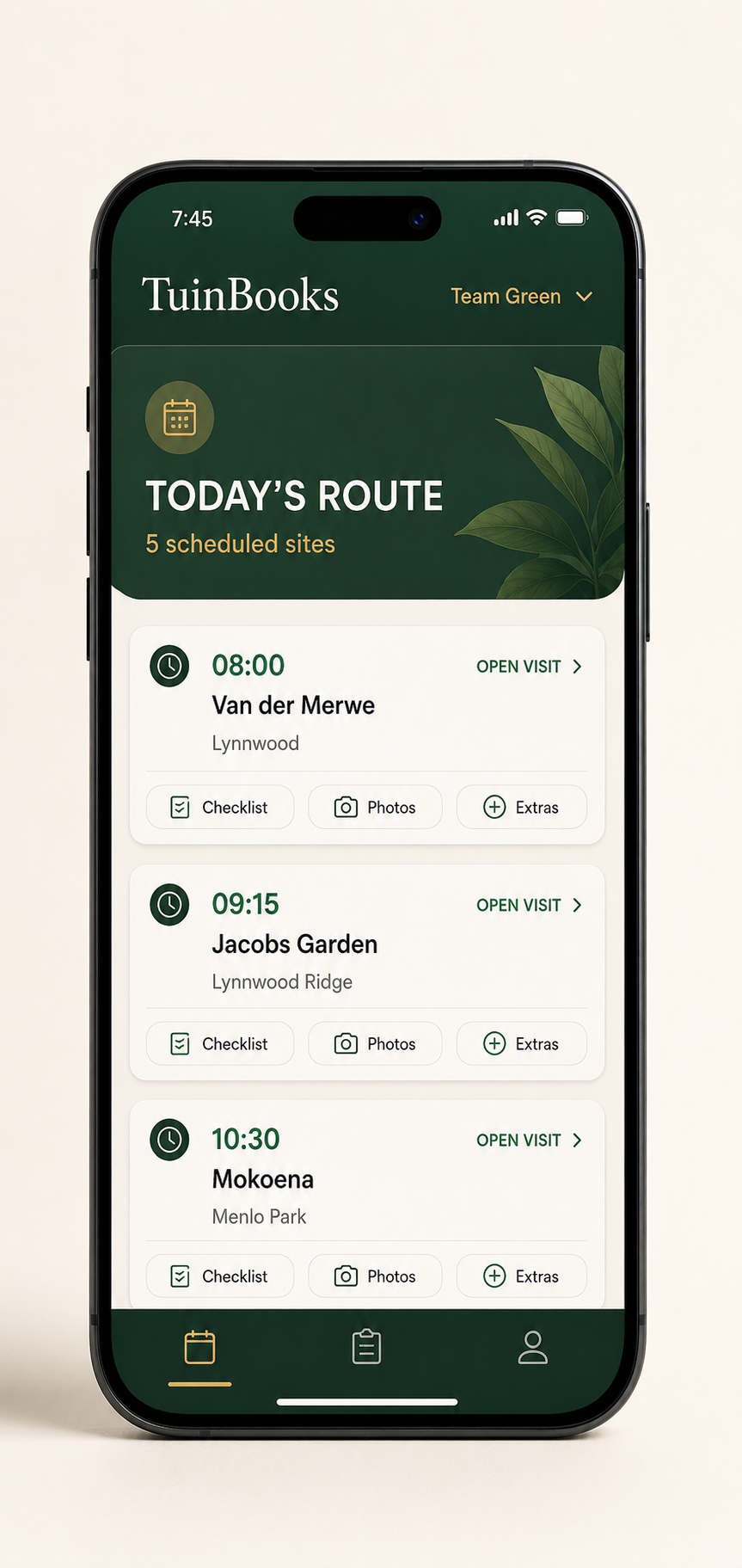
Field MobileShow teams their work and give them a PIN-based field workflow.
Digital Job CardsRecord task outcomes, start/finish times, staff, notes and photos.
Client Service ReportsPrepare reports from completed Job Cards for your customers.
Quotes & BillingManage quotes, billing reviews, payments, statements and credits.
Management ReportsReview business performance, operational activity and exceptions.
Job Cards + Service Reports

A proper record for every visit — not another WhatsApp to chase.

TuinBooks connects the schedule, field Job Cards and office follow-up. Service Reports make it easier to show customers what was done.

01

Schedule the work

Organise recurring visits, one-off jobs and missed or moved work by team and date.

02

Complete the Job Card

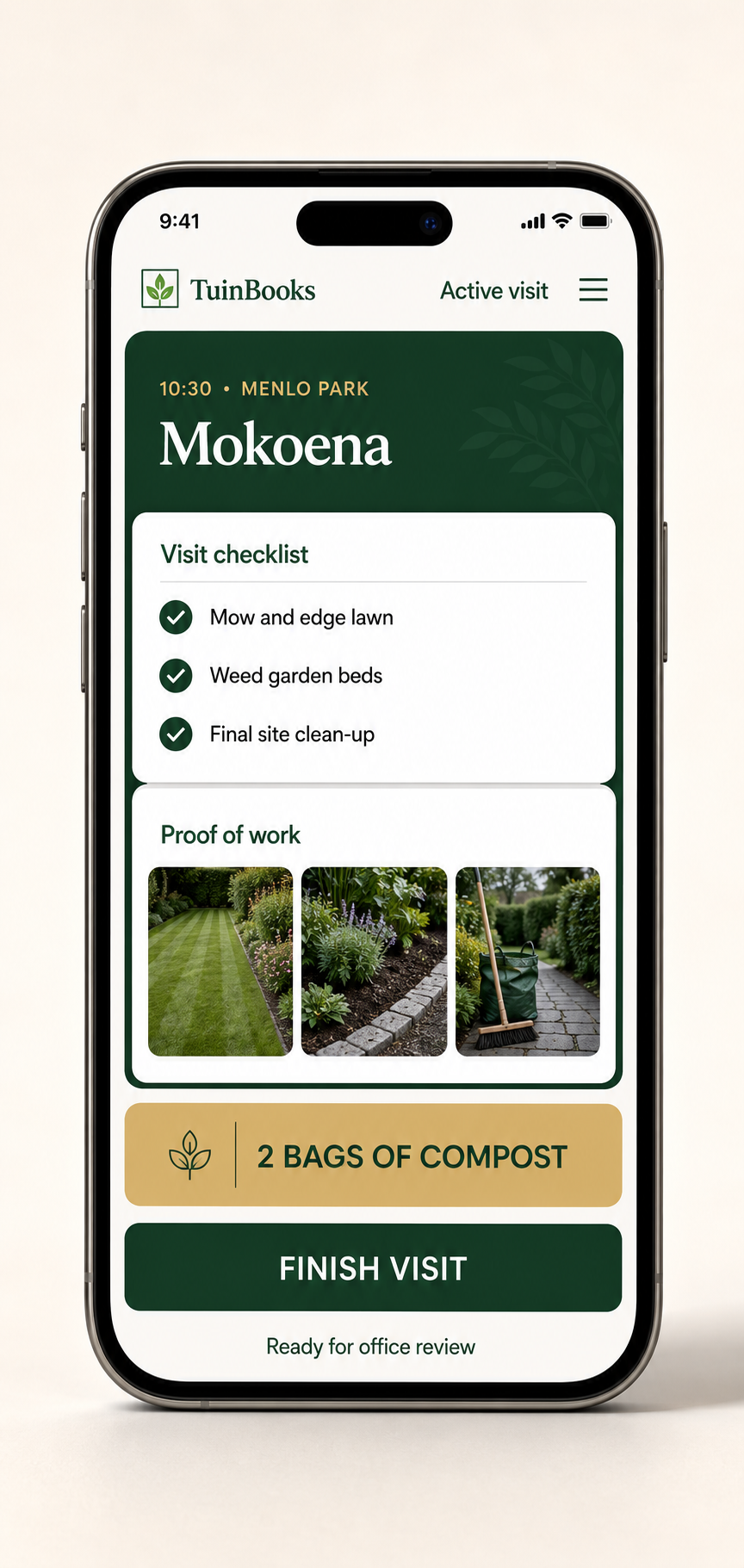
Record task outcomes, timings, staff, notes, exceptions and available photos.

03

Prepare a Service Report

Turn recorded visits into a report for a customer or service period.

04

Review and follow up

Review billable work, prepare quotes or invoices, and track payments and statements.

The full working system

Everything behind the garden maintenance round

Operational tools for the office and the people doing the work.

Planning & teams
  • Weekly, fortnightly and monthly work
  • Move visits across teams and dates
  • Schedule Basket for missed, extra and quoted work
On-site accountability
  • Mobile daily work and site instructions
  • Job Cards with timing, staff and task outcomes
  • Notes, exceptions and supporting photo evidence
Customer communication
  • Client and property records
  • Client reports for visits and reporting periods
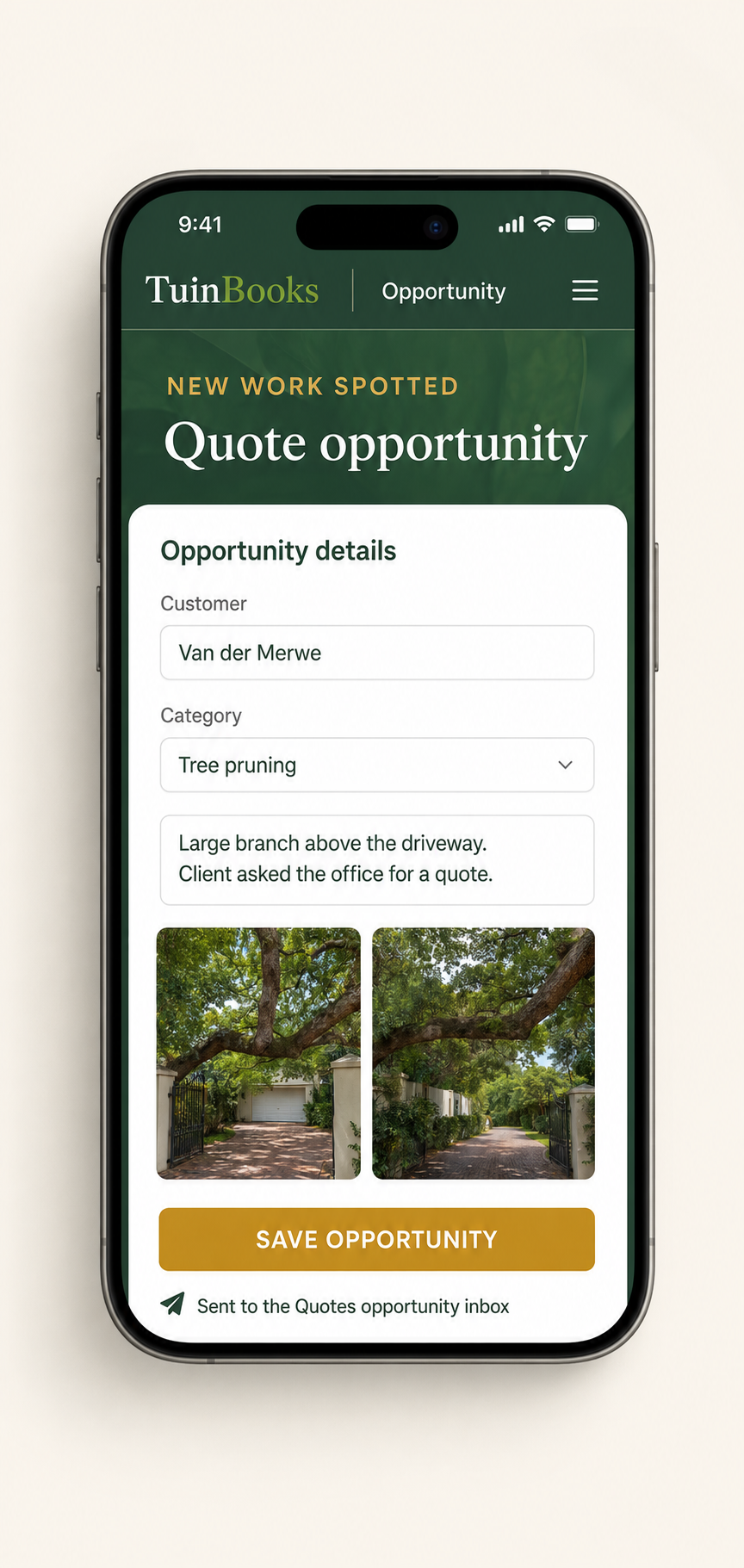
  • Site opportunities and accepted quote workflows
Office & financial control
  • Monthly-fee or per-visit arrangements
  • Invoice review, payments, credits and statements
  • Business overview and internal team activity
A Job Card links the team’s visit to its evidence.

See what was done, when the team started and finished, and what needs attention. Prepare client Service Reports from the recorded work instead of reconstructing the visit from messages.

Financial tools and some report-sharing options depend on business mode and account settings.

Scheduling that saves time and money

Know where every team is—and when every job is complete.

Build smarter weeks, keep routes tight and follow progress as teams complete their work. Less driving, less time spent planning and fewer calls asking where everyone is.

A more efficient week, built in minutes.

Balance capacity, group nearby sites and move work between teams without rebuilding the schedule.

Office view
T Schedule Invoice Centre Clients Work Records Quotes Reports Business Overview
Weekly scheduleAll teams • 14–18 July
Generate smart week
Mon 14
Tue 15
Wed 16
Thu 17
Fri 18
Team Green6 sites/day
Lynnwood5 visits • 6h 10m
Waterkloof6 visits • 6h 35m
Lynnwood5 visits • 5h 50m
Garsfontein6 visits • 6h 25m
Waterkloof4 visits • 5h 15m
Team Gold5 sites/day
Garsfontein5 visits • 5h 45m
Lynnwood4 visits • 5h 05m
Waterkloof5 visits • 6h 00m
Open capacity
Garsfontein5 visits • 5h 40m
See every team clearlyKnow where each team should be throughout the day.
Know when work is doneFollow job completion without chasing updates.
Save time and moneyReduce wasted travel, planning time and unproductive hours.
Invoicing and quotes

Invoice quickly. Turn opportunities into quotes in a click.

Completed Job Cards, extras and cancellations arrive in the office ready for review. See exactly what can be billed, create the invoice draft without recapturing the work, and turn opportunities spotted by teams into new quotes.

Invoice Centre

Quick, easy invoicing

Completed visits and billable extras are already organised by customer. Review the work once and create the invoice draft—without rebuilding the month from notes and WhatsApps.

Create invoice draft
Quotes

From site opportunity to quote

When a team spots new work, it appears in the Quotes opportunity inbox with the client, note and photos. Open it and start the quote in a click.

Start quote
TuinBooks office
Invoice CentreQuotesReports
12Ready to invoice
2Need office review
5New opportunities
Work ready for actionThis week
Van der MerweRegular visit + hedge shaping
Ready to invoice Create invoice draft
MokoenaRegular visit + compost supplied
Ready to invoice Create invoice draft
Revenue opportunities from siteReady for quotes
New opportunity

Tree-pruning project

Jacobs Garden • site note + 3 photos

New opportunity

Irrigation upgrade

Mokoena • site note + 2 photos

Less invoice admin. Faster billing. More site opportunities converted into quotes.
Business intelligence that drives profit

Grow profit—not just workload.

See revenue, costs, team hours, work mix and capacity together. Reduce waste, back better-paying work and improve margin as the business grows.

Spot where time and margin are being lost Prioritise work that improves profit
Illustrative business overviewRevenue, costs and profit
Profit +38% ↗
RevenueR145k +21%
Gross profitR50k +38%
Profit margin35% +5 pts
R150k R100k R50k R0 40% 30% 20% JAN FEB MAR APR MAY JUN
Revenue Operating cost Profit margin
Local understanding. Strong support.

Achieve your goals. Stop leaving money on the table.

Every completed job, billable extra and site opportunity should have a clear path to revenue. TuinBooks helps your teams capture the value, your office act on it and your business grow from it.

We support the business behind the software.

Get practical, hands-on help from setup onwards, with people who understand how local garden service businesses actually work.

Hands-on setup and onboarding Responsive, practical support A free trial using your own operation
South Africa · ZAR

One straightforward monthly price.

Everything you need to run your garden service, starting at R450 per month including your first team. Add teams as you grow, without having to upgrade to another software package.

Explore the demo software or chat with us on WhatsApp about a free trial using your own clients and teams. No contracts and no automated checkout — your PayFast subscription link is sent personally when you're ready.

R450 / month1 team included+ R150 / additional team / monthNo contracts · Free trial available · Personal onboarding
Clear per-team pricing1 team: R450/month · 2 teams: R600/month · 3 teams: R750/month. All prices are in South African rand.
PayFast · personal payment linkWe confirm your plan first and send you a secure PayFast link directly. You don't need to check out on this website.
Client paymentsTuinBooks also lets your office record payments received from garden-service customers. These are not payments to TuinBooks.
082 397 6575