Plan the round
Organise recurring visits, one-off jobs, cancellations and new work by team and day.

Manage recurring rounds and service sites, then record completed Job Cards and prepare clear client Service Reports from the field work.

TuinBooks connects the regular maintenance round, the team’s on-site record and office follow-up so you can show customers what happened.
Organise recurring visits, one-off jobs, cancellations and new work by team and day.
Capture tasks, staff, working times, notes and available photo evidence.
Build a customer-facing record for a visit, property or reporting period.
Review activity, deal with extra work and prepare quotes or billing as configured.
Operational tools for the office and the people doing the work.
Review the work completed, start and finish times, and anything that needs attention. Client Service Reports make it easier to communicate with property owners.
Financial and report-sharing features depend on account configuration; UK-specific financial settings are being verified before live UK rollout.
Clients repeat, rounds repeat and the schedule changes around weather, cancellations, extra work and team capacity. TuinBooks keeps the recurring pattern visible while the real week changes around it.
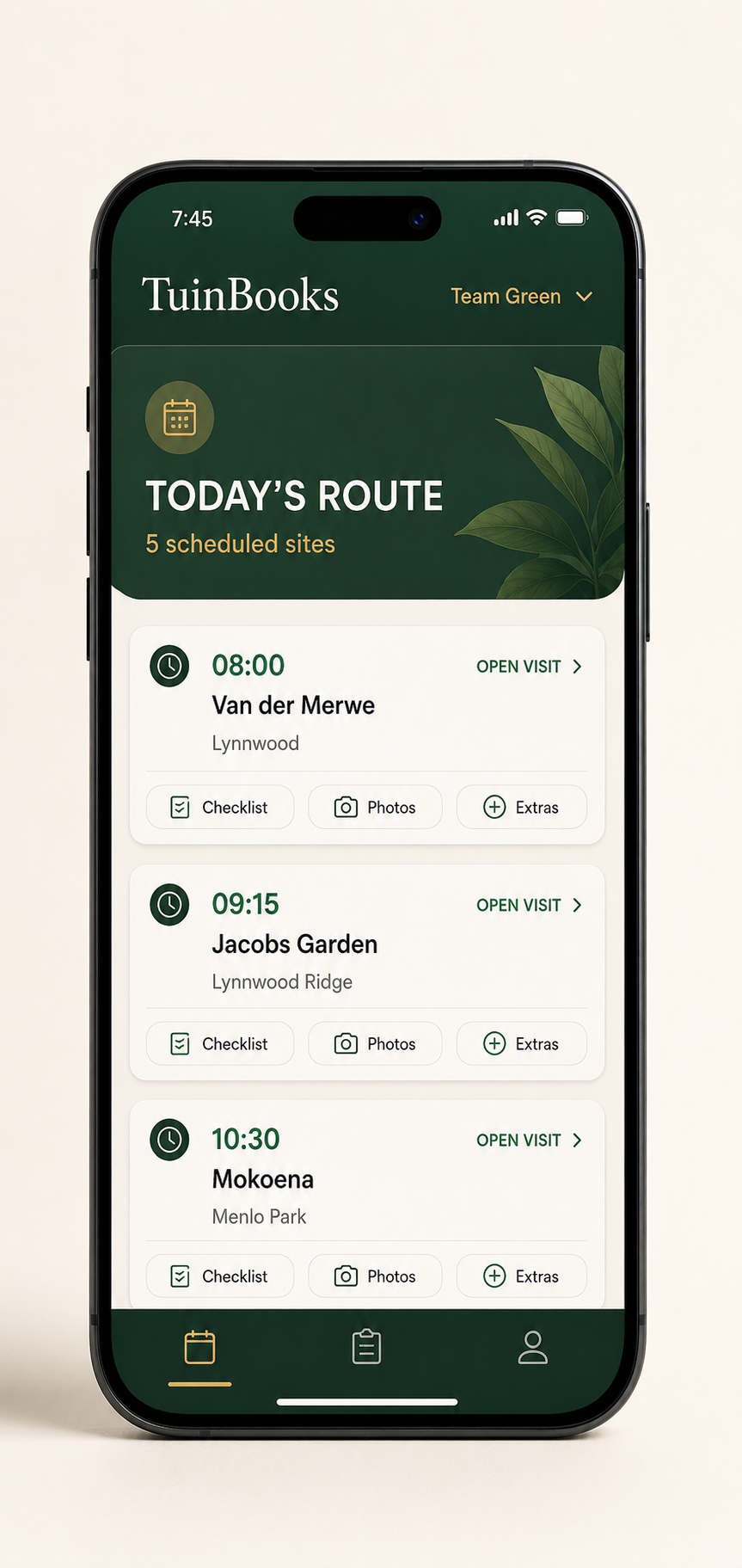
See recurring visits, one-off work and every team together. Move work when plans change, keep nearby sites together and know what has actually been completed.
Keep recurring work visible, move visits between teams and adjust the week when weather, cancellations or extra work change the plan.
Teams see where they’re going, what needs doing and any site instructions. They can record completed work, notes, photos and additional opportunities from the field.
Every team knows exactly where to go, what to do and what comes next—throughout the day.
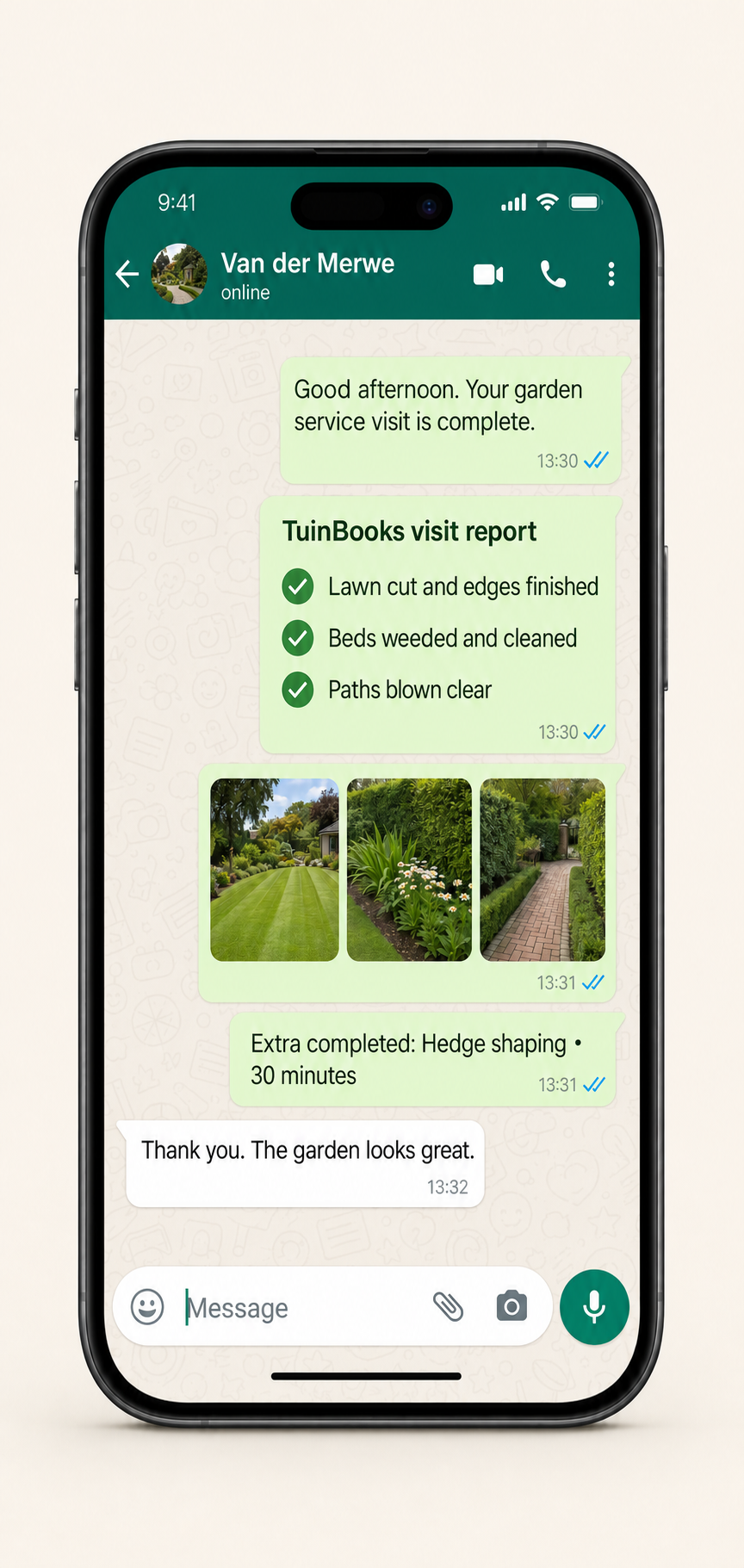
Prepare client reports from completed Job Cards, with visit details and supporting evidence.
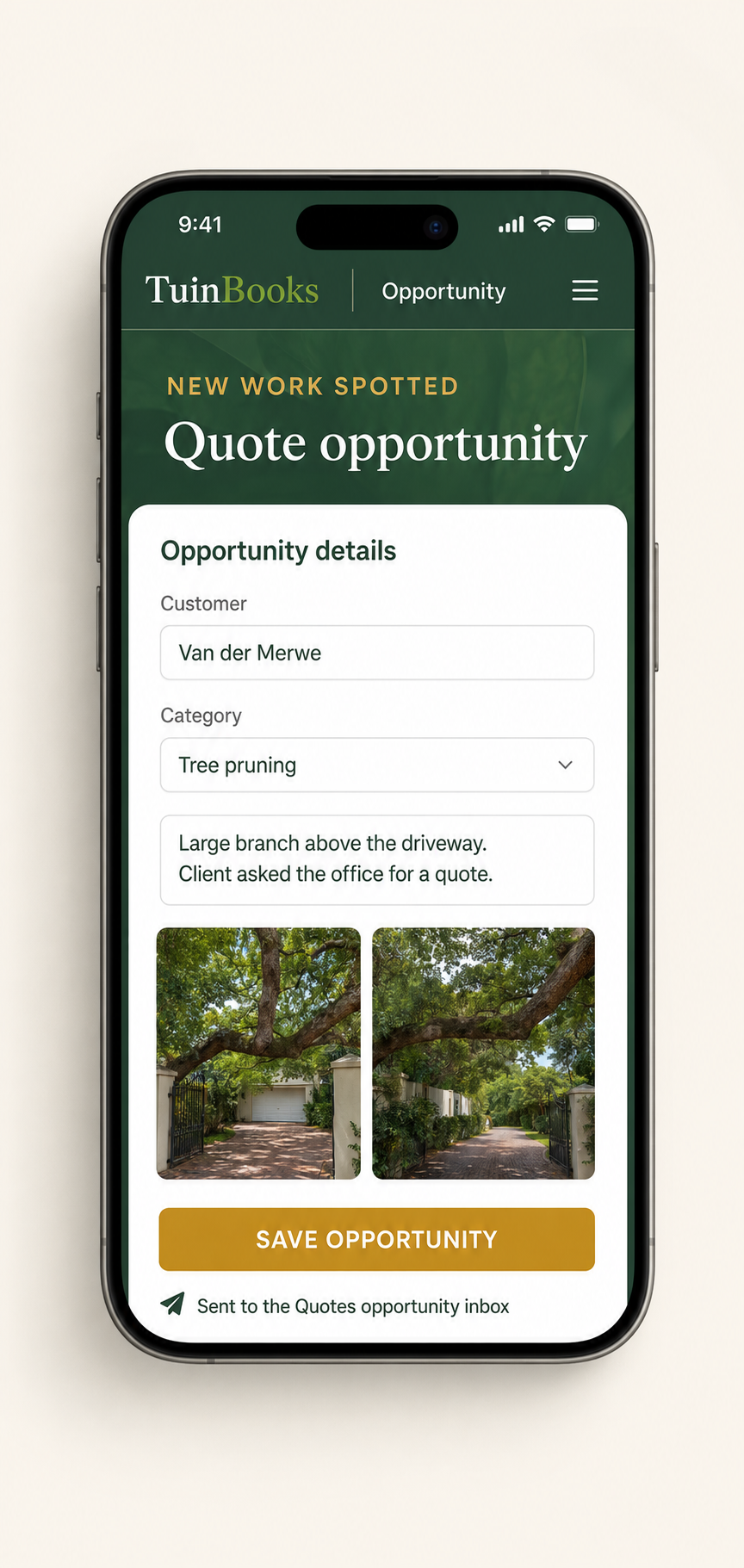
Capture quote opportunities while the team is with the client.
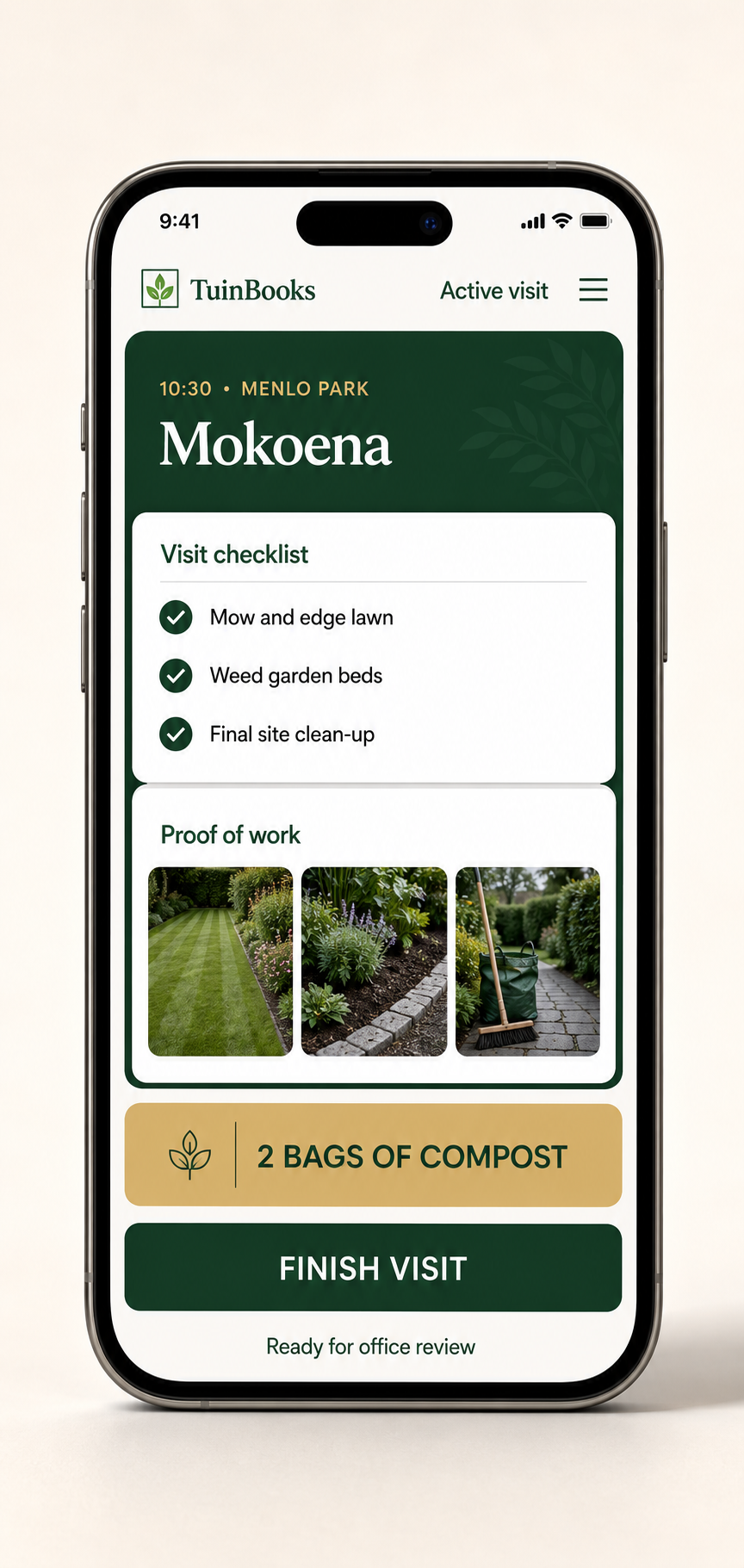
Record task outcomes, timings, notes, exceptions and supporting photos on the Job Card.
Completed Job Cards, cancellations, additional work and billable extras stay organised so the office can review what happened before invoicing or passing the information into the accounting process.
Completed visits and billable extras are already organised by client. Review the work once and create the invoice draft without rebuilding the month from notes and messages.
When a team spots new work, it appears in the Quotes opportunity inbox with the client, note and photos. Open it and start the quote in a click.
Riverside Offices • site note + 3 photos
Meadow View • site note + 2 photos
See revenue, costs, team hours, work mix and capacity together. Reduce waste, back better-paying work and improve margin as the business grows.
Explore the demo software at your own pace. If it looks useful for your business, chat with us on WhatsApp about a trial using your own teams, clients and recurring rounds.
Get hands-on setup and practical support focused on how recurring garden maintenance businesses actually operate.
Try the UK demo software without entering payment details. If you're interested, chat to us on WhatsApp about a trial and the GBP subscription price before you decide.
No automated checkout. When you're ready, Jean will send the appropriate secure Paddle payment link personally. UK subscription pricing is agreed in GBP, not calculated from an automatic rand conversion.